

Journaling day trades · volume, hours, and daily P&L
A day trading journal built on your fills, not your memory
Day trading produces more executions than anything else you can do in a brokerage account, and journals that ask you to type each trade in fall apart at that volume. TickerReplay rebuilds the positions from the fills, so a session that produced ninety executions comes out as the trades you actually took.
30 trades per rolling 30 days on the free plan. No card.
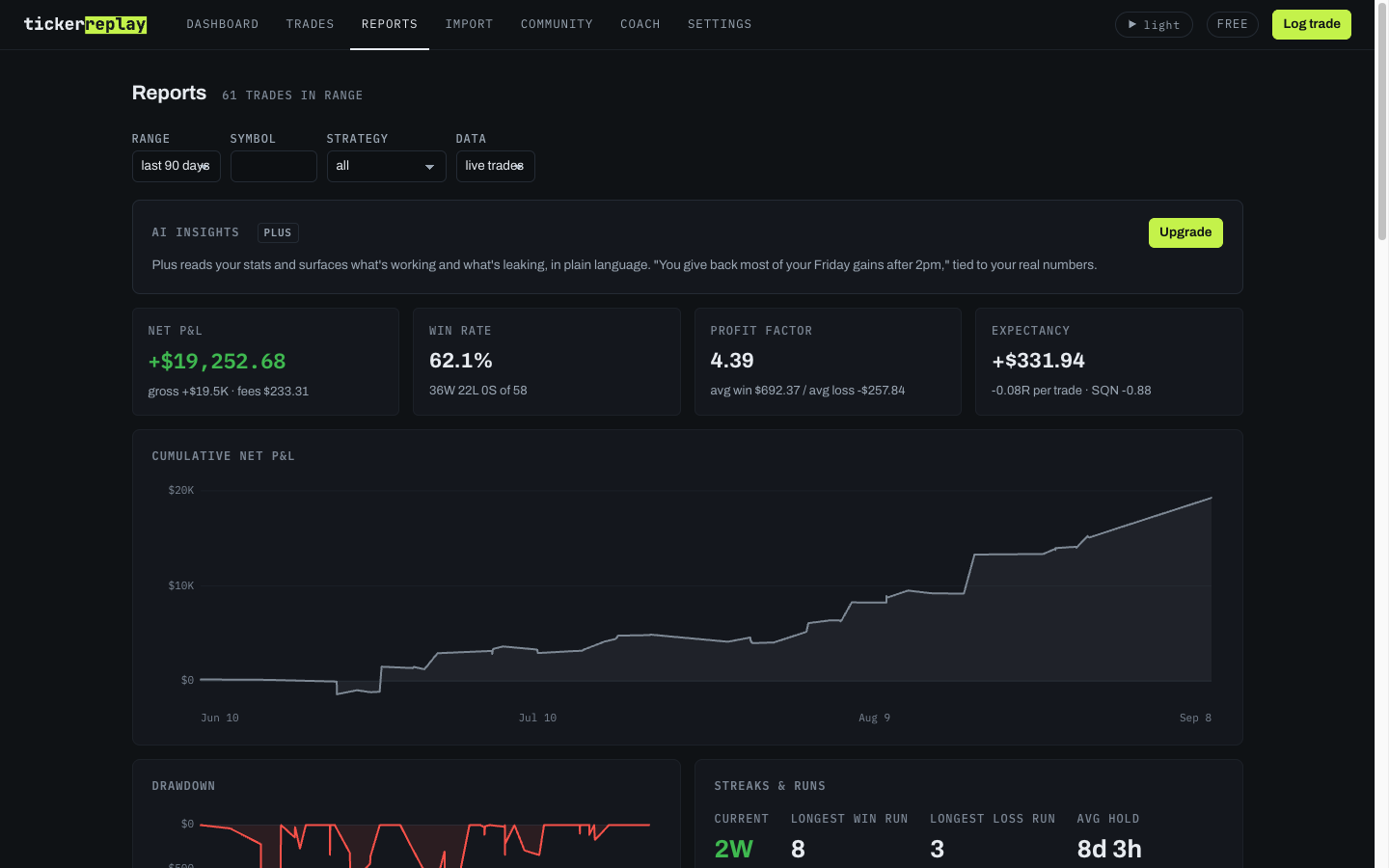
Which hours actually make you money
Reports slice by hour of day and by day of week, computed from your own fills in your own timezone. For most day traders this is the most useful view in the journal, and the answer is usually narrower than expected: a lot of accounts turn out to make their money in one part of the session and give some of it back in another.
A daily P&L calendar
A month grid of realised P&L by close date, with each day's trades one click away. It is the view most day traders open first, and it is on the free plan as well.
Volume without double counting
Fills are deduped on the way in, so re-importing a file that overlaps one you already imported never doubles a trade. Scaling in and out through the session rolls into one position with a quantity-weighted average rather than a row per fill. Stocks and options sit in the same journal and the same reports.
What it does not do
This is a post-trade journal. There is no live feed, no intraday position monitor, no alerts, and nothing to trade from. It also does not compute tax lots or wash sales, which matters more at day trading volume than anywhere else, so export and hand that to your accountant.
Common questions
Will the free plan work for day trading?
Depends how much you trade. Free covers 30 trades per rolling 30 days, so a few trades a week fits comfortably and there is no time limit on it. If you are taking several a day you will pass that, and Plus removes the cap at $15/mo billed annually. Start free either way; the import and the reports are the same on both.
How many trades can it handle?
There is no trade limit on the paid plans, and imports are deduped by fill, so re-importing an overlapping file never doubles anything. A busy day imports as one file and comes out as the positions you actually held rather than a wall of fills.
Can I see which hours I actually make money in?
Yes. Reports slice by hour of day and by day of week, both computed from your fills in your own timezone. For most day traders this is the single most useful view in the journal, because the answer is usually narrower than expected.
Does it show a daily P&L calendar?
Yes, a month grid of realised P&L by close date, with the day's trades one click away. It is the view most day traders check first and it is on the free plan too.
Try it on a real session
Export one day from your broker and see how it imports. The export guides cover tastytrade, Interactive Brokers, thinkorswim, and Robinhood.
Start free30 trades per rolling 30 days. No card.
Sizing and the contracts
The position size calculator turns an account size and a stop into a share count. If you trade options intraday, what a call option is and what a put option is cover the mechanics in plain language.
TickerReplay is a journal for tracking your own trading. It is not financial or tax advice, and past results don't predict future ones. SES Technology Ventures LLC.